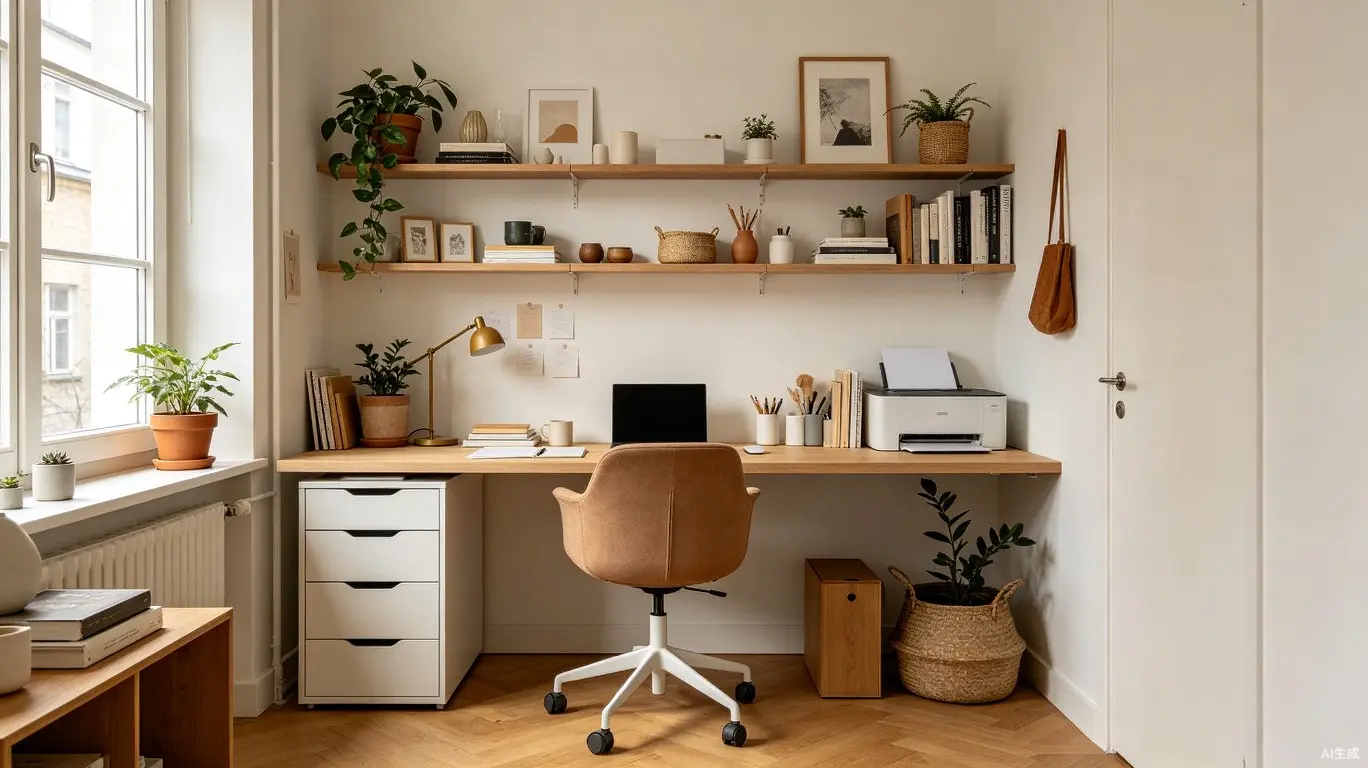

A small home office must work harder than any other room in the house. Within a footprint as little as 6 to 10 square meters, it needs to accommodate focused work, video calls, document storage, and often a secondary function like a guest bedroom. The difference between a cramped closet-office and a genuinely productive workspace comes down to a few critical design decisions. Here are fourteen expert tips.
Layout and Space Planning
1. The desk should face into the room, not against a wall, whenever possible. Facing a wall makes a small office feel smaller and psychologically oppressive. A floating desk positioned perpendicular to a wall with your back to open space creates a more expansive feeling. If wall-facing is unavoidable, cover the wall with inspiring art or textured wall covering.
2. The minimum comfortable desk depth for computer work is 60 centimeters, with 75 centimeters being ideal. In very tight spaces, a 50-centimeter wall-mounted desk can work for laptop-only setups. Stand-alone desks should leave at least 90 centimeters of clearance behind the chair for comfortable entry and exit.
Vertical Storage Mastery
3. In a small office, wall space is more valuable than floor space. Floor-to-ceiling shelving along one entire wall provides as much storage as a large bookcase while consuming zero floor area. Mount shelves at 30, 60, 120, and 180 centimeters from the floor for different item categories.
4. A pegboard wall system mounted beside the desk keeps everyday tools visible and accessible. Hooks, small shelves, and magnetic strips hold headphones, cables, scissors, and notebooks. A 120 by 90 centimeter pegboard costs under $50 and provides more accessible storage than a $300 filing cabinet.
Ergonomics in Compact Spaces
5. An ergonomic chair is the single most important investment. A quality chair with adjustable seat height, depth, lumbar support, armrests, and tilt tension allows hours of comfortable work. With feet flat and knees at 90 degrees, elbows should be level with the desk surface.
6. Monitor height is the ergonomic detail most frequently wrong. The top of the screen should be at or slightly below eye level. A monitor that is too low forces neck flexion and leads to chronic pain. Laptop users should invest in a separate monitor or laptop stand with an external keyboard.
Lighting for Focus
7. A small home office needs two separate light sources: ambient for general illumination and task light for the desk. An adjustable LED desk lamp at 4,000K to 5,000K provides alert, accurate light for focused work, while warm ambient lighting at 2,700K to 3,000K reduces eye strain during evening sessions.
8. Natural light placement relative to the screen is critical. A window directly behind the monitor causes eye fatigue from backlight contrast. A window behind the chair creates screen glare and unflattering video call silhouettes. The ideal is a window to the side of the desk.
Dual-Purpose Design
9. When the office must also serve as a guest bedroom, a wall bed (Murphy bed) is the gold standard. Modern wall beds integrate with surrounding cabinetry and can include a fold-down desk. A quality wall bed with integrated desk costs $2,500 to $5,000 installed.
10. A daybed or sofa bed is a more affordable dual-purpose alternative for infrequent guests. A daybed with trundle provides two sleeping surfaces in roughly 100 by 200 centimeters. Add throw pillows for a sofa-like backrest during the day.
Visual Expansion Tricks
11. A large mirror strategically placed doubles the perceived space. A full-length mirror on one wall or behind the desk reflects light and extends depth. The mirror should reflect something pleasant -- a window, plant, or art -- not clutter.
12. A consistent, light color palette makes a small office feel larger. White or very light walls reflect light and blur boundaries. If all-white feels sterile, a single dark accent wall behind the monitor adds depth and reduces glare without closing in the space.
Technology Integration
13. Cable management is both aesthetic and practical. Visible cables create visual chaos making a compact space feel cluttered. A cable tray under the desk, cable sleeves, and a charging drawer keep technology tamed. Wireless peripherals eliminate the most visible cables entirely.
14. A dedicated video call background elevates every meeting's professional impression. Position the desk so the background is a clean wall, curated shelf, or art -- not an unmade bed or bathroom door. A floating shelf with curated objects creates an intentional backdrop. If rearranging isn't possible, a fabric panel behind the chair provides an instant solution.